本文最后更新于:2026年8月21日 下午
背景
今天在修复一个 Redirector 扩展 的一个错误之后,推送了一个版本触发 CI 构建并使用 extport 全平台发布,在发布 extport 的时候出现了一个神秘的错误。
1
| macos: submission item add failed (409): { "errors" : [ { "id" : "607f4cc4-96af-4d99-ae60-78bb87489e8a", "status" : "409", "code" : "STATE_ERROR.ENTITY_STATE_INVALID", "title" : "appStoreVersions with id '652e9da7-e899-4244-904f-3c1dccacef56' is not in valid state.", "detail" : "This resource cannot be reviewed, pleas…
|
提示我前往 App Store Connect 查看,发现是提交版本时有些必填的信息没有填写,而之前从未需要填写过。包括
1. App Information > Age Ratings 里面增加了新的 Social Media 必填项
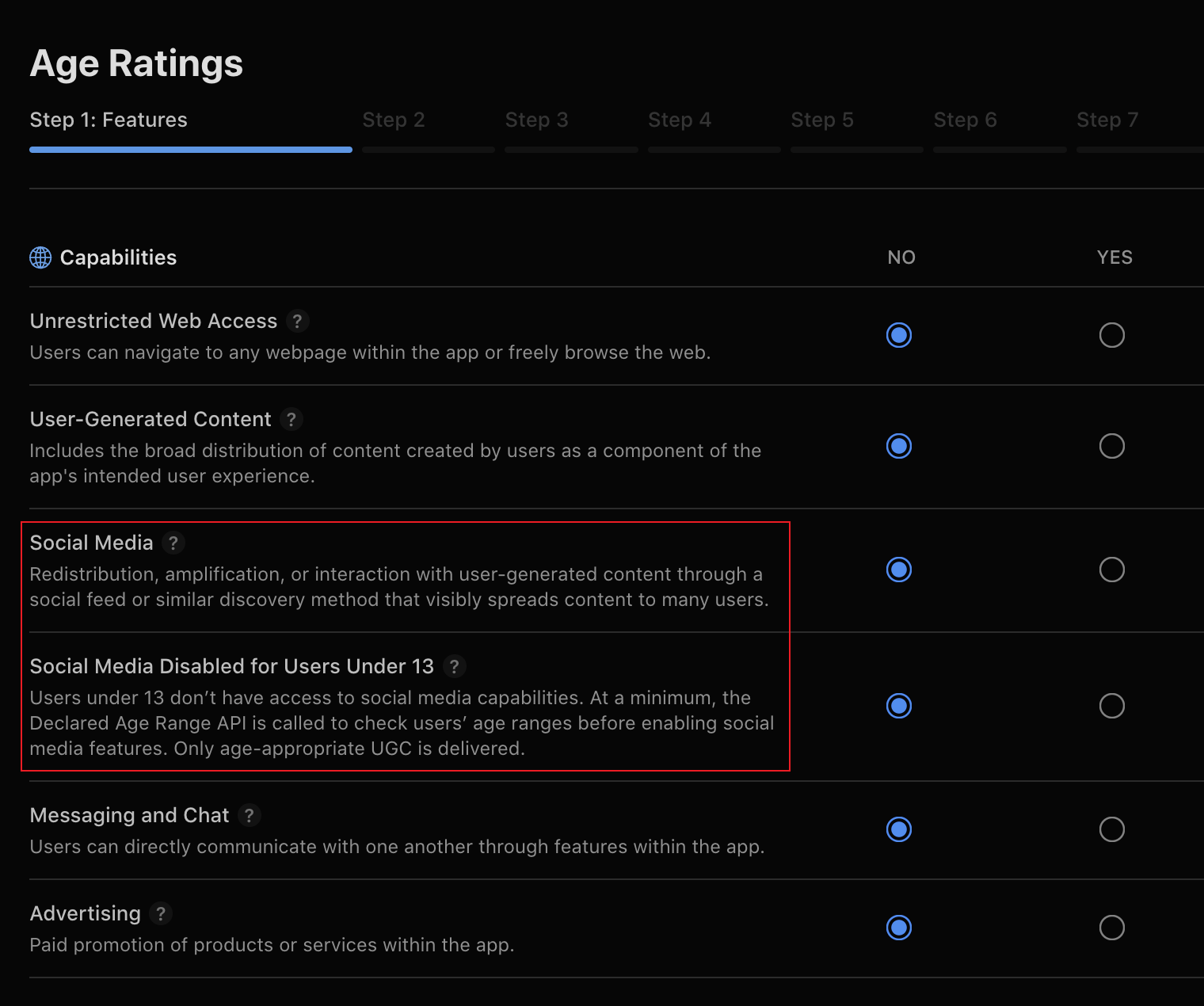
2. inflight > Contact Information 以前没填也能提交,现在会被卡
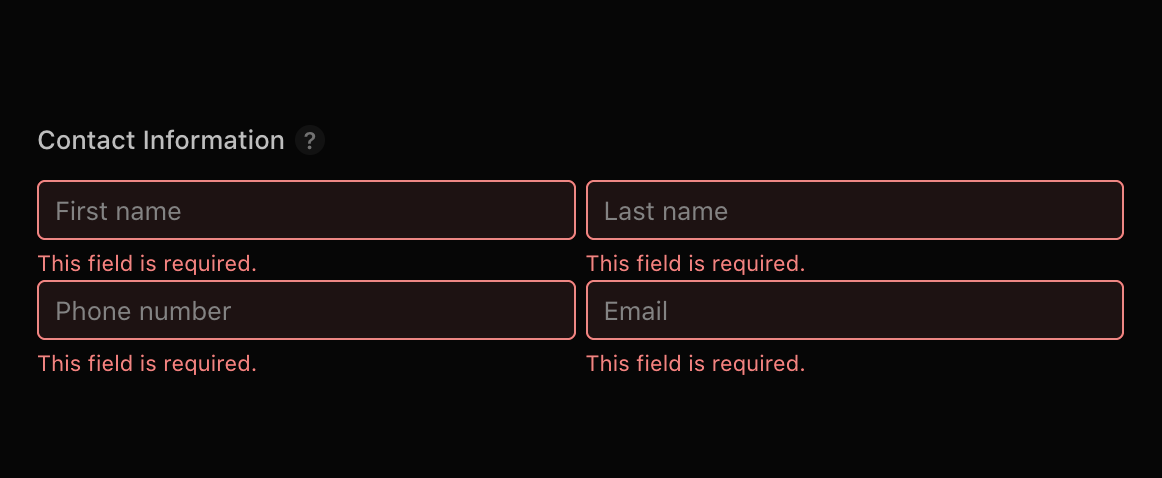
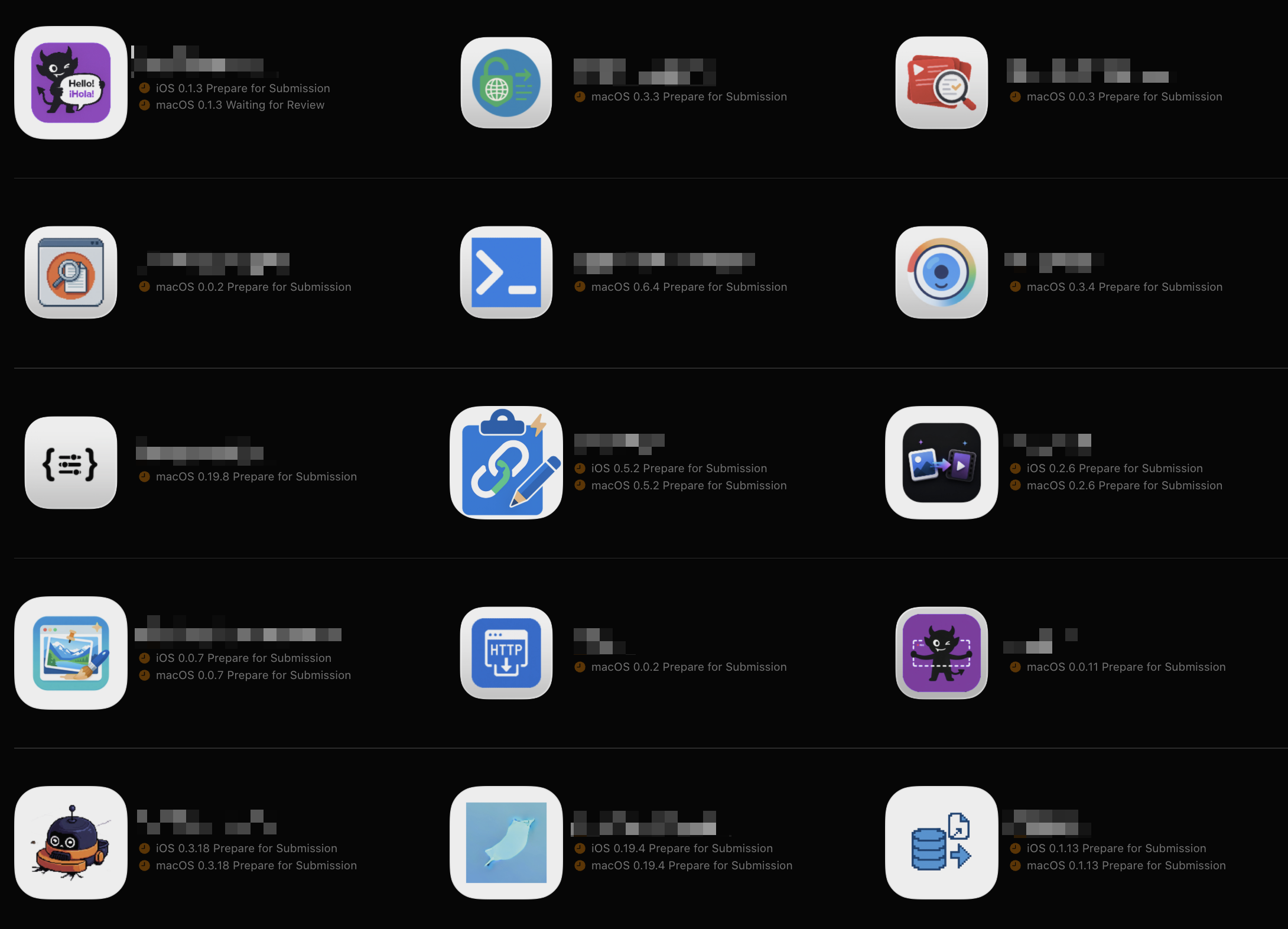
当然,即使在我手动修复了这个问题之后,也仍然无法在 extport 进行发布重试。我修改 extport 的逻辑使其更加健壮,同时也在文档中记录了此次事故 。在手动完成重试之后,我不禁在思考:我有二十多个已经发布的 ios/macos app,我应该怎么批量修复它们避免下次类似事故的发生?
过程
我尝试使用 pi agent 并结合 chrome devtools mcp 来操控浏览器,原本计划是一个个点击页面并查看 ui 上的状态的,没想到 ds v4 flash 的操作要野的多,直接逆向 fetch 请求并使用 js 脚本重放,根本不通过操控 HTML 页面来查看和修改 App Store Connect 的信息。例如这段代码可以直接粘贴到 app store connect 控制台来查看哪些 app 缺少必填信息
1
2
3
4
5
6
7
8
9
10
11
12
13
14
15
16
17
18
19
20
21
22
23
24
25
26
27
28
29
30
31
32
33
34
35
36
37
38
39
40
41
42
43
44
45
46
47
48
49
50
51
52
53
54
55
56
57
58
59
60
61
62
63
64
65
66
67
68
69
70
71
72
73
74
75
76
77
78
79
80
81
|
const API = 'https://appstoreconnect.apple.com/iris/v1'
const H = { Accept: 'application/json' }
const INFLIGHT = new Set([
'PREPARE_FOR_SUBMISSION',
'WAITING_FOR_REVIEW',
'IN_REVIEW',
'REJECTED',
'DEVELOPER_REJECTED',
'ACCEPTED',
'READY_FOR_REVIEW',
])
async function get(path) {
const res = await fetch(API + path, { credentials: 'include', headers: H })
if (!res.ok) throw new Error(res.status + ' ' + path)
return res.json()
}
;(async () => {
const { data: apps } = await get('/apps?limit=200')
const active = apps.filter((a) => !a.attributes.removed)
console.log('共 ' + active.length + ' 个活跃 app\n')
for (const app of active) {
console.log('== ' + app.attributes.name + ' [' + app.id + ']')
try {
const ai = await get(
'/apps/' + app.id + '/appInfos?include=ageRatingDeclaration',
)
const editable = (ai.data || []).find((i) =>
INFLIGHT.has(i.attributes.state),
)
const rel = editable && editable.relationships.ageRatingDeclaration.data
const ard = rel && (ai.included || []).find((i) => i.id === rel.id)
const sm = ard && ard.attributes.socialMedia
const smr = ard && ard.attributes.socialMediaAgeRestricted
console.log(
' Social Media: ' +
(sm == null ? '未填' : sm ? 'YES' : 'NO') +
' | Disabled <13: ' +
(smr == null ? '未填' : smr ? 'YES' : 'NO'),
)
const vs = await get('/apps/' + app.id + '/appStoreVersions?limit=10')
const inflight = (vs.data || []).filter((v) =>
INFLIGHT.has(
v.attributes.appVersionState || v.attributes.appStoreState,
),
)
if (inflight.length === 0) {
console.log(' Contact: 无 inflight 版本')
} else {
for (const v of inflight) {
const rd = await get(
'/appStoreVersions/' + v.id + '/appStoreReviewDetail',
)
const a = rd.data && rd.data.attributes
const ok = a && a.contactFirstName && a.contactEmail
console.log(
' Contact [' +
v.attributes.platform +
' ' +
v.attributes.versionString +
']: ' +
(ok ? '已填' : '未填'),
)
}
}
} catch (e) {
console.log(' 出错: ' + e.message)
}
console.log('')
}
})()
|
在这个过程中遇到了几个问题,例如必须有新版本才能修改 App Information 和 Contact Information,所以我不得不为每一个需要修改的 app 都创建了一个 patch 版本,尽管并未提交构建版本和发布,它应该在下次 CI 发布时自动带上避免出现同样的错误。
总结
如果你也维护着很多 app,那么也可以未雨绸缪,将所有的必填信息都先填好,避免下次发布时再为此困扰。我也整理出来了脚本 便于使用,你可以让你的 agent 读取它并使用同样的方式去批量修复这个问题。